


Learning how to remove personal data from AI tools becomes important when you realise you have uploaded something private. Imagine asking a chatbot to explain a confusing paragraph in a document. The answer helps, but then you notice what else you shared: your address, account number and signature. You delete the conversation and wonder whether that removed everything.
In this hypothetical example, the conversation, uploaded file and saved memory may need separate attention. Turning off model training serves a different purpose, so one setting may not cover everything.
This guide explains where to look, which controls to review and when to contact the provider. You will also learn what to do after sharing a password or payment information. Complete removal is not always possible, but you can take practical steps to reduce exposure and avoid repeating the mistake.
Table of Contents
- Where Your Personal Data Can Appear in AI Tools
- What “Removing Your Data” Actually Means
- Audit Your AI Accounts Before You Start
- Remove Personal Details Before Sending an AI Prompt
- Delete Existing Chats, Uploaded Files and Shared Links
- Clear Saved Memories and Review Personalisation Settings
- Limit Future AI Training and Unnecessary Data Collection
- Submit a Personal Data Removal or Correction Request
- Reduce Public Information That AI Services May Find
- What to Do Immediately After Sharing Sensitive Data
- Build a Privacy Routine and Understand the Limits
- Frequently Asked Questions
1. Where Your Personal Data Can Appear in AI Tools
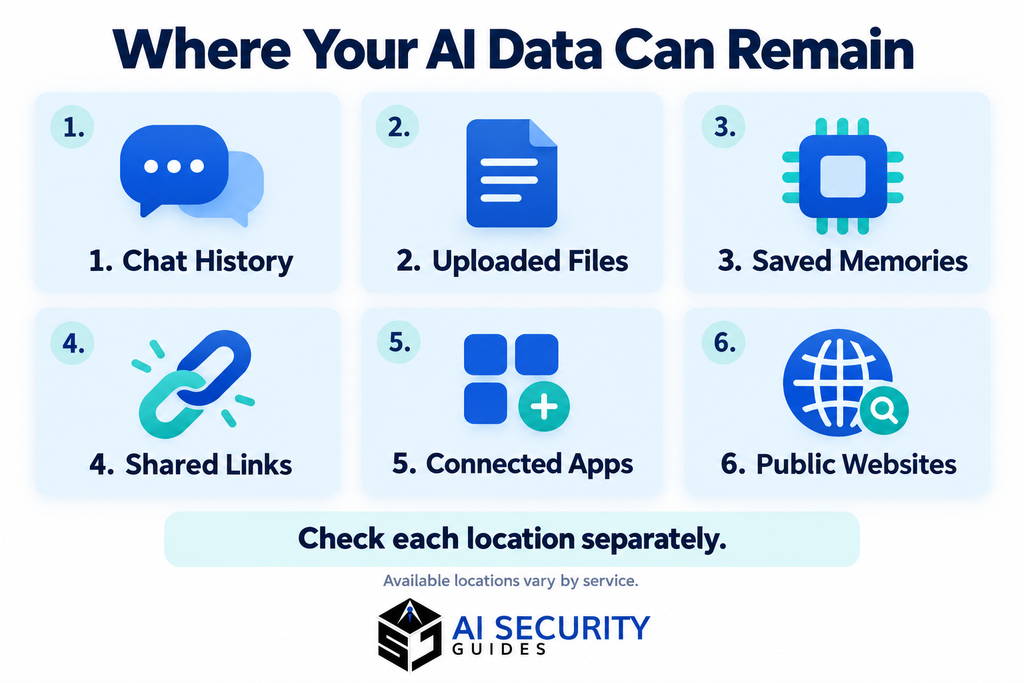
Your information can appear in more places than the message box. Before deleting anything, think about what you shared and how you used the service.
Common places to check include:
- Conversations: questions, pasted emails and generated replies.
- Uploaded files: documents, photos, spreadsheets and screenshots.
- Personalisation settings: saved memories, profile information and custom instructions.
- Shared content: conversation links and shared projects.
- Connected services: files or messages accessed through linked accounts.
- Public websites: information a tool finds while searching online.
These locations may need separate attention. For example, OpenAI explains that files saved in ChatGPT’s Library can remain after the conversation is deleted. Its chat and file retention guide describes the differences.
For our hypothetical user, locating the uploaded document matters just as much as finding the conversation.
2. What “Removing Your Data” Actually Means
Before you remove personal data from AI tools, understand what each control changes. Deleting a conversation, clearing memory and disabling training are different actions.
| Action | What it addresses | What you should not assume |
|---|---|---|
| Delete a conversation | The saved chat | Every related file or memory disappears |
| Delete an uploaded file | A stored document or image | Copies elsewhere are removed |
| Clear saved memories | Information used for personalisation | The source conversation is deleted |
| Disable training | Eligible future use for model improvement | Earlier training is reversed |
| Disconnect an app | Access through that connection | Previously transferred information is erased |
| Remove a search result | Visibility in that search engine | The original webpage is deleted |
You may need several actions to address the same information.
It also helps to separate privacy from security. Privacy concerns how information is collected, used and kept. Security concerns protecting information and accounts from unauthorised access.
Deleting a chat containing a password and changing that password address different parts of the problem.
3. Audit Your AI Accounts Before You Start
A simple account list makes it easier to remove personal data from AI tools without overlooking an old upload or shared conversation.
Include chatbots, writing assistants, meeting tools, browser extensions and document summarising apps.
For each service, ask:
- Which account did I use?
- What did I upload or paste?
- Did I share a conversation link?
- Did I enable memory or connect another app?
- Is this my personal account or a workplace account?
Prioritise passwords, payment information, identity documents and confidential records. If you exposed something that allows account access, follow Section 10 immediately.
Track the remaining work in a small table:
| Service | Item to check | Action | Status |
|---|---|---|---|
| Chatbot | Personal document | Locate chat and stored file | Pending |
| Writing assistant | Saved profile | Remove unnecessary details | Completed |
| Meeting tool | Private transcript | Contact workspace administrator | Awaiting reply |
Record references and dates without copying the sensitive information into your tracker.
4. Remove Personal Details Before Sending an AI Prompt
The easiest cleanup is the one you avoid needing. Prepare a separate, cleaned copy of anything you plan to upload.
If you are unsure what to leave out, read our guide to 10 things you should never share with an AI chatbot. It covers sensitive details in prompts, documents and screenshots.
Replace Identifiers With Clear Placeholders
Use labels such as [Name], [Address], [Customer] and [Account reference]. Keep them consistent throughout the text.
Before:
Rewrite this complaint to my electricity provider. Here is my complete bill, including my address and account details.
Safer version:
Write a polite complaint about an electricity bill that appears too high. Ask the provider to check the meter reading and explain the charges. Leave placeholders for my name and account reference.
Add the real details yourself after reviewing the draft.
Check Documents, Screenshots and Hidden Details
Inspect comments, tracked changes, spreadsheet columns and screenshot backgrounds. Look for names, email addresses, notifications and readable badges.
Use proper redaction tools when needed. Placing a coloured box over text does not necessarily remove the underlying information.
Keep Enough Context for a Useful Answer
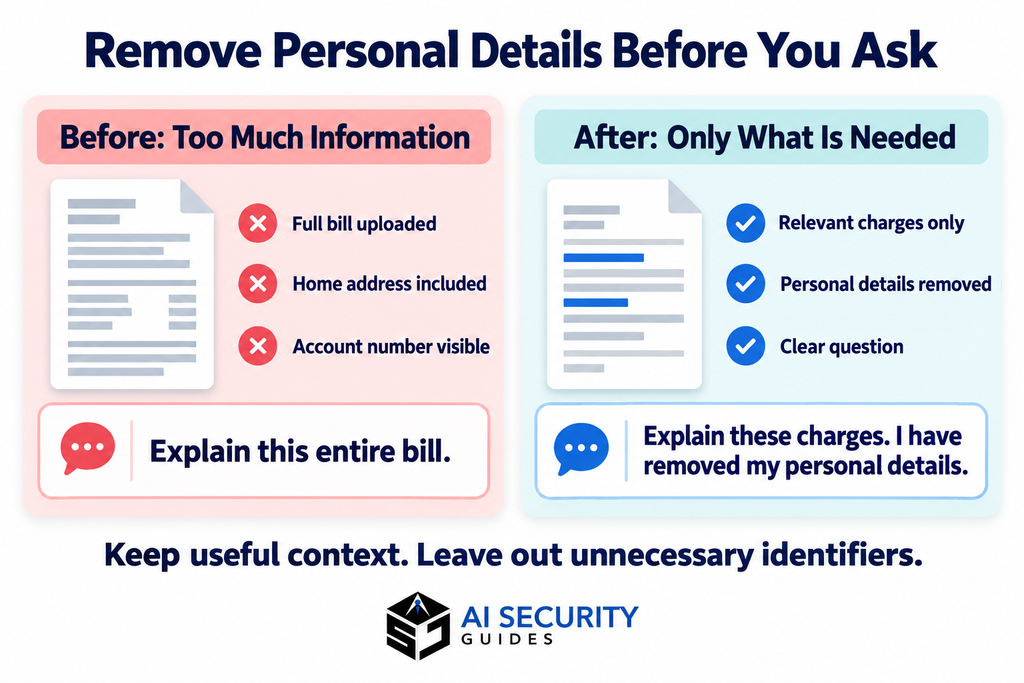
Keep the relevant facts and desired outcome. For a customer reply, provide the issue and proposed solution rather than the customer’s full purchase history.
Removing a name alone may not prevent identification. A workplace, date or unusual event can still reveal who someone is.
5. Delete Existing Chats, Uploaded Files and Shared Links
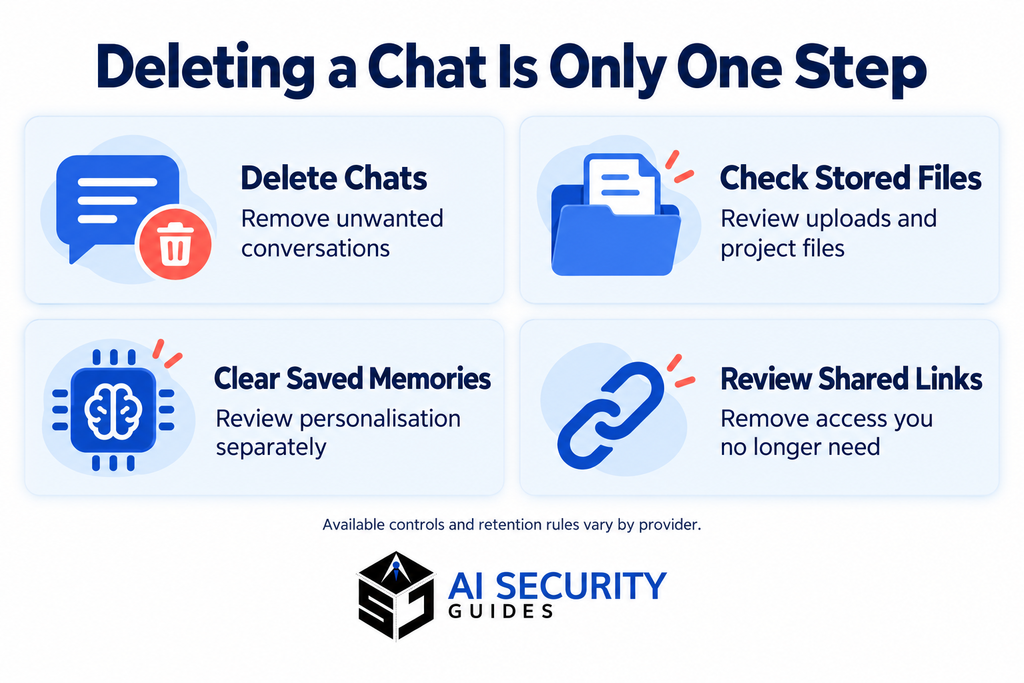
To remove personal data from AI tools thoroughly, check conversations, stored files and shared access separately.
Open the service directly and locate the relevant conversation. Read the deletion confirmation carefully, especially if the chat contains useful work you still need.
Delete Conversations Rather Than Archive Them
Archiving helps organise an account; it should not be treated as deletion.
For ChatGPT, archived conversations remain stored. Deleted chats disappear from your account view immediately and are scheduled for permanent deletion within 30 days, subject to stated exceptions. These include legal or security obligations and content already de-identified and disassociated from your account.
Check Stored Files and Shared Areas
Look in file storage, projects and custom assistants. OpenAI specifically states that deleting a chat does not remove a file that remains saved in Library.
Check the official retention guidance for the content involved, then delete the relevant stored copy.
Review shared links and revoke access where available. This cannot retrieve screenshots or copies that another person already saved.
6. Clear Saved Memories and Review Personalisation Settings
When you remove personal data from AI tools, remember to check information stored for personalisation.
Look for settings called memory, personalisation, profile or custom instructions. Remove details that are unnecessary, outdated or too private.
For ChatGPT, OpenAI’s memory guidance explains that fully removing information can require deleting both the saved memory and the conversation where you shared it. Relevant files or connected sources may also need attention.
Review information you deliberately added, such as your employer, location or family circumstances. Consider replacing it with broader preferences:
Use plain English, explain unfamiliar terms and keep paragraphs short.
This helps shape responses without describing your personal life.
Disabling memory and deleting existing memories are separate actions. Do not assume that switching a feature off clears everything it previously saved.
In our hypothetical example, the user should check whether details from the uploaded document were also saved for later conversations.
7. Limit Future AI Training and Unnecessary Data Collection
Once you remove personal data from AI tools, review the settings that affect future conversations.
Review Chatbot Training Controls
In ChatGPT, open Settings → Data controls → Improve the model for everyone. Turning this off prevents new conversations from being used to train OpenAI models, while allowing them to remain in your history.
OpenAI also says that submitting feedback can allow the associated conversation to be used for training, even after opting out. Check its current data-controls guidance.
Other services use different controls, so follow instructions for your provider and account type.
Check Social Media, Browser and Device AI Settings
Review the features you actually use. Look for settings covering activity history, personalisation and access to your content.
Google’s Gemini privacy hub, for example, explains its activity controls and deletion limits. Deleting Gemini activity does not necessarily remove related information held by other Google services.
Review Connected-App Permissions
Disconnect services you no longer need. Check both the AI tool and the connected account.
If information has already transferred, investigate its deletion separately. Removing a connection does not confirm that earlier copies are gone.
8. Submit a Personal Data Removal or Correction Request
You may need the provider’s help to remove personal data from AI tools when account settings do not cover the problem.
This can also apply when an AI response contains inaccurate personal information about you.
Find the official privacy page through the provider’s website. Include enough detail to locate the issue without repeating unnecessary sensitive information.
Useful details include:
- Your account email, where relevant.
- The type of information involved.
- A conversation reference, URL or approximate date.
- The action you want the provider to consider.
Use this template:
Subject: Personal data removal request
Hello,
I would like to request the removal of personal information associated with [account or reference].
The information appears in [location and approximate date]. It includes [brief description].
Please explain what you can remove, whether I need to take further steps, and whether any information must remain under your retention policy or legal obligations.
Please let me know if you require identity verification through a secure channel.
Thank you.
Your rights depend on your location and circumstances. In the UK, the ICO explains the right to erasure, including its conditions and exceptions. Do not assume identical rights or deadlines apply in the US or Australia.
Keep a copy of the request and response.
9. Reduce Public Information That AI Services May Find
Personal information can appear in AI answers because it is publicly available, even if you never uploaded it.
Contact the Original Website
Find the page displaying the information. Ask the publisher to remove or correct it, providing the exact URL and relevant passage.
Keep your request focused. Explaining that an old page exposes your address should not require sharing your entire personal history.
Request Search-Result Removal Where Eligible
Google accepts removal requests for certain private information, including contact details, identity numbers and medical records.
Its removal guidance explains that removing a search result does not delete the original webpage. You may need to contact both the website owner and the search engine.
Review Social Profiles and Data Broker Listings
Check public biographies, old posts and people-search listings. Remove unnecessary details and use available privacy or opt-out controls.
These steps can reduce public exposure. They do not prove that every earlier copy, dataset or AI system has been updated.
10. What to Do Immediately After Sharing Sensitive Data
If you exposed information that protects an account, address that risk before continuing with a general privacy cleanup.
| Information shared | Immediate action to consider |
|---|---|
| Password | Change it, change reused copies and review account activity |
| Recovery codes | Generate replacements through account security settings |
| API key or access token | Revoke or rotate it through the issuing service |
| Card or banking details | Contact your financial provider through official channels |
| Workplace or customer records | Report the incident to the relevant internal contact |
| Identity document | Seek official identity-protection guidance for your country |
Deleting a conversation does not make an exposed password safe to keep using.
Record which service received the information, when it happened and whether it was shared publicly. Keep the record brief and secure.
For workplace incidents, follow your organisation’s reporting process. Avoid copying the sensitive material into additional tools while explaining what happened.
After addressing the immediate risk, return to the deletion, memory and privacy-request steps.
11. Build a Privacy Routine and Understand the Limits
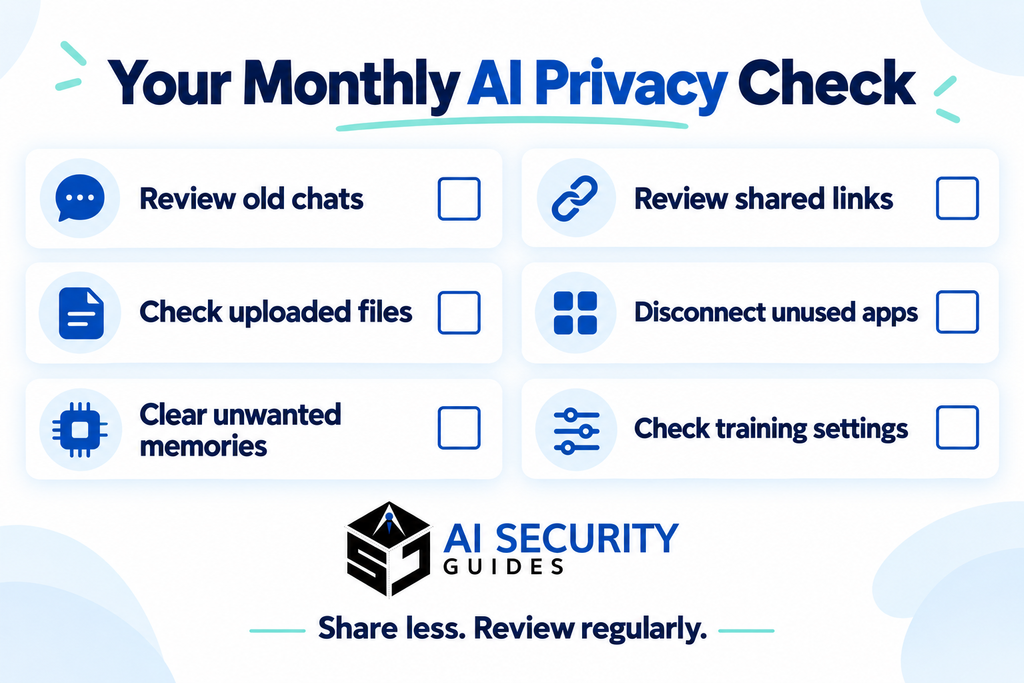
A regular review makes it easier to remove personal data from AI tools before forgotten conversations and uploads accumulate.
A short monthly check is a practical starting point:
- Delete conversations and uploads you no longer need.
- Review saved memories and profile details.
- Remove unused shared links.
- Disconnect unnecessary apps.
- Check privacy settings after enabling new features.
- Prepare cleaned copies of documents before uploading.
- Follow up on outstanding removal requests.
For work tasks, use the tools and processes your organisation approves. Share only the information needed for the task.
Separate what you can confirm from what you have requested. You can check that an item disappeared from your account. The provider may need to explain further deletion, retention or exceptions.
Removing old information is one part of safer AI use. For everyday habits such as checking answers, protecting accounts and reviewing uploads, read our guide to AI security for beginners.
12. Frequently Asked Questions
Can I Remove Personal Data From AI Tools Without Deleting My Account?
Start with individual conversation, file and memory controls. If these do not resolve the issue, ask the provider about targeted removal. Explain that you want to keep your account while removing specified information.
Does Deleting a Chat Stop My Data From Being Used for Training?
Deletion and training controls serve different purposes. In ChatGPT, disabling model improvement affects new conversations; it does not delete existing chats. Review both settings rather than relying on one action.
Can I Remove Information From a Model That Has Already Been Trained?
Do not assume that deleting an account or conversation reverses completed training. Contact the provider about the specific information and ask what removal or correction process is available.
Does Turning Off Memory Delete Saved Information?
Not necessarily. Review and delete saved entries separately. You may also need to remove the source conversation, relevant files or other connected sources, depending on the service.
Does Removing a Google Result Delete the Original Information?
No. Search removal affects the result shown by Google. The original webpage requires separate attention from its owner, and copies may remain elsewhere.
How Do I Know Whether Everything Has Been Deleted?
Check each relevant location and keep the provider’s confirmation. Ask what remains, why it remains and which retention rules apply. A missing chat or a chatbot saying “I forgot” is not proof of complete deletion.
This guide provides general educational information. Provider settings and policies can change; check the official instructions for your service and account type.
Recommended