

Passkeys vs password managers is a question many beginners now ask, and the answer affects how well your accounts resist attackers. Here is a hypothetical example. Maria uses one password for her email, bank, and online shopping. Then a phishing email tricks her into typing that password on a fake login page. Within an hour, the attacker can open all three accounts. Two tools can prevent this kind of breach. This guide explains how each one works, where each one falls short, and which setup gives beginners the strongest protection.
Table of Contents
- What Is a Password Manager?
- What Is a Passkey?
- Passkeys vs Password Managers: Side by Side
- Which Is More Secure: Passkeys vs Password Managers?
- Passkeys vs Password Managers: Using Both Together
- Step-by-Step Setup Checklist
- Frequently Asked Questions
- Passkeys vs Password Managers: The Bottom Line
What Is a Password Manager?
A password manager is an app that stores your login details in an encrypted vault. It also generates strong, random passwords for each site you use. You unlock the vault with one master password. Then the app fills in your credentials when you visit a website.
For instance, Maria’s password manager would create a different 20-character password for her bank and her shopping site. She would never need to memorize either one.
The biggest benefit is that password reuse disappears. As a result, if one website gets breached, attackers cannot use that password on your other accounts. Popular options include Bitwarden, 1Password, and the built-in Apple Passwords and Google Password Manager.
However, password managers have limits. Your master password protects everything, so it must be long and private. Autofill also depends on the website address matching your saved entry. Still, a convincing fake site can trick you if you copy and paste a password manually.
What Is a Passkey?
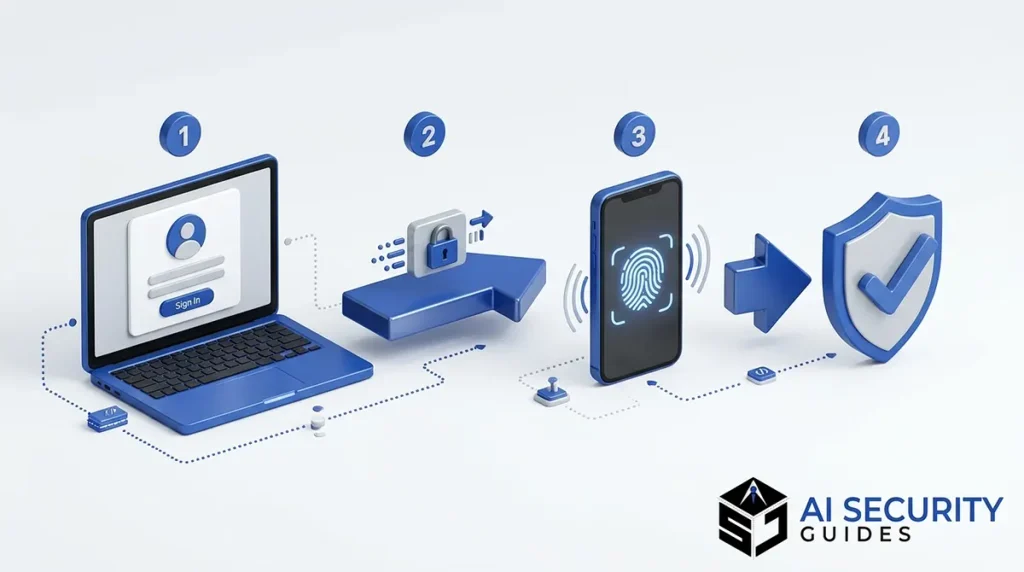
A passkey replaces the password entirely. Your device creates two linked cryptographic keys. Instead, the private key stays on your device, and the website stores only the matching public key.
When you sign in, the website sends a one-time challenge. Next, your phone or computer signs that challenge after you confirm with your fingerprint, face, or PIN. The website then checks the signature and lets you in. You never type a password, and none travels across the internet.
In other words, the website holds the lock, and only your device holds the key. That key works only for the website where you created it.
To learn more, read the FIDO Alliance passkey resources. Passkeys follow FIDO standards, which major platforms support. Also, the U.S. National Institute of Standards and Technology covers modern authentication methods in its digital identity guidelines.
Passkeys vs Password Managers: Side by Side
The table below compares both options on the points beginners care about most.
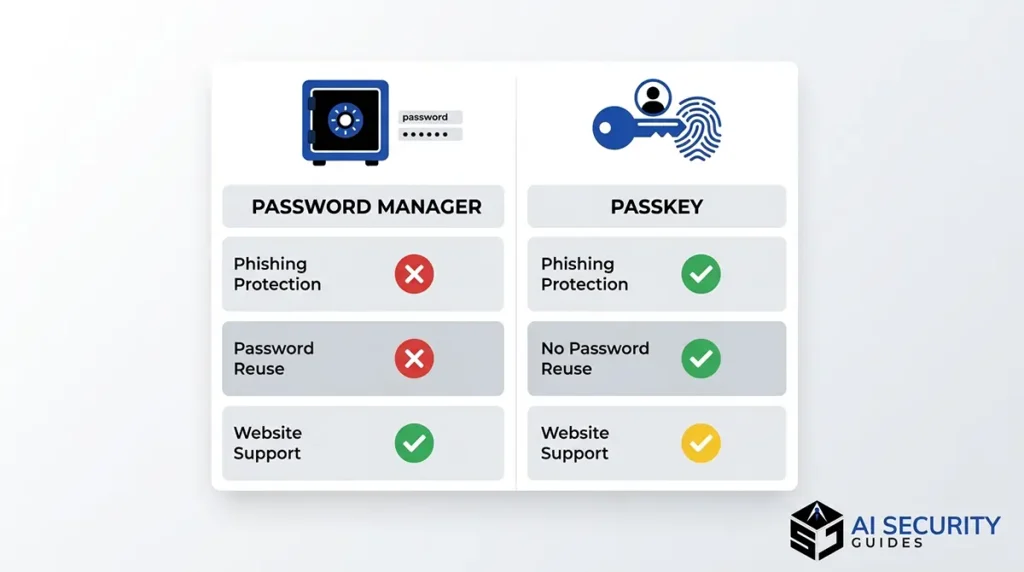
| Feature | Password Manager | Passkey |
|---|---|---|
| What it does | Stores and fills in passwords | Replaces the password |
| Secret sent to the website | Yes, the password | No, only a signature |
| Phishing protection | Good, but a fake site can still trick you | Strong, because it works only on the real site |
| Password reuse | Prevented | Not possible, because each passkey is unique |
| Website support | Almost every site | Only sites that offer passkeys |
| Sign-in speed | Fast autofill, sometimes after a master password | Usually one fingerprint or face scan |
| Recovery | Master password or recovery key | Backup passkey, another device, or account recovery |
Passkeys win on security for supported sites. Meanwhile, password managers win on coverage because they work almost everywhere.
Which Is More Secure: Passkeys vs Password Managers?
When you compare passkeys vs password managers on login security, passkeys come out ahead. A password manager protects the passwords you store. But it cannot stop you from typing one into a phishing site. By contrast, a passkey will not sign in to a fake site at all.
Phishing Protection
Phishing is one of the most common ways attackers steal logins. On this point, passkeys have a clear advantage. Each passkey works only with the website where it was created. As a result, a fake page receives nothing useful, even if it looks identical to the real one.
Password managers help too, because most fill passwords only on a matching address. However, they depend on that check working correctly every time.
Trade-Offs of Each Method
Neither option is flawless. Recovery is the main trade-off in passkeys vs password managers. A password manager depends on your master password, and losing it can lock you out. On the other hand, passkeys depend on your device and on the account that syncs them. If you lose your phone with no backup, recovery can take time.
Also, many websites do not support passkeys yet. For those accounts, you still need strong, unique passwords.
Passkeys vs Password Managers: Using Both Together
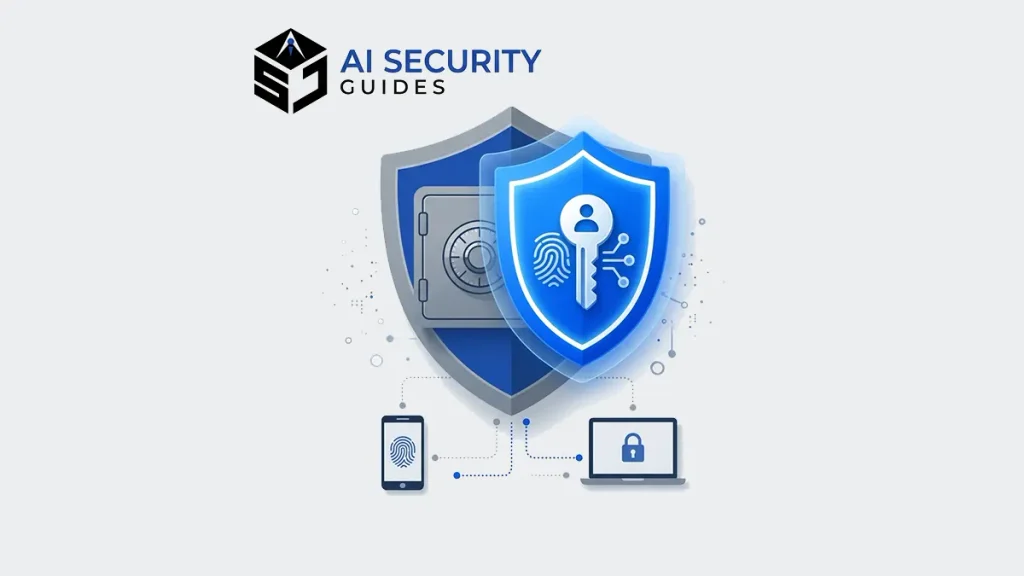
Most beginners do not need to pick just one. Passkeys vs password managers is a false choice for most people, and the strongest setup uses both tools. Start with your email account, because it can reset almost every other login. Turn on a passkey there if it is available.
Next, add passkeys to your banking and cloud storage accounts. Then use your password manager for every site that still requires a password. Finally, add an authenticator app for accounts that offer codes. Our authenticator apps guide explains codes, backups, and recovery in plain language.
Step-by-Step Setup Checklist
Work through these steps in order:
- Choose a reputable password manager and create a long master passphrase.
- Save your recovery key somewhere safe and offline.
- Turn on passkeys for your email, bank, and cloud accounts.
- Add a backup passkey or a second device where the service allows it.
- Replace weak and reused passwords on other sites with generated ones.
- Turn off password sign-in only after your passkey and backup both work.
Then, lock down your social media accounts with the steps in our social media privacy settings guide. For a broader starting point, see our cybersecurity checklist for beginners.
Frequently Asked Questions
Are passkeys safer than password managers?
For the login itself, yes. Passkeys resist phishing, and websites store no reusable secret. Still, a password manager matters because many sites require passwords, so use both for the best protection.
Do passkeys replace a password manager?
Not yet. Many sites still rely on passwords, and a password manager keeps those passwords unique and strong. As more sites adopt passkeys, however, you will rely on the manager less.
Can a password manager store passkeys?
Some password managers can. Therefore, check your provider’s current documentation to confirm support for your devices and browsers.
What if I lose my phone?
Synced passkeys can usually return to a new device through your Apple or Google account. Device-bound passkeys, on the other hand, may need a backup passkey or the website’s recovery process. So set up a backup before you need it.
Passkeys vs Password Managers: The Bottom Line
Passkeys vs password managers has no universal winner. For the login itself, passkeys offer stronger protection. Still, password managers remain essential for everything else. Start with your email, add passkeys wherever they are offered, and use a password manager for the rest.
Browse more practical guides in our Cybersecurity category.