

AI Security for Beginners: How to Use AI Tools Safely Without Oversharing
AI security for beginners starts with one simple question: does this AI tool really need this information? Many people paste a full résumé or a work report into a chatbot without thinking twice. That habit can expose personal details and company information. You can avoid this by checking what you share and what the tool can access. For a closer look at what to keep out of chat windows, read our guide on 10 things you should never share with an AI chatbot.
Short answer: Share only what the task needs. Protect your account with multi-factor authentication. Check privacy settings, limit app permissions, verify important AI answers, and treat urgent requests with caution.
This guide explains AI security for beginners in plain American English, with no technical skills required. You will follow a hypothetical beginner named Alex through everyday tasks.
Hypothetical example. Alex works in customer support and has three tasks to finish today. Alex must improve a résumé, reply to a customer, and summarize a project update. An AI tool could help with all three. Each task needs its own checks.
Table of Contents
- What Is AI Security for Beginners?
- AI Security Risks Beginners Face and Simple Fixes
- AI Security Basics: Protect Sensitive Information
- AI Security for Beginners: Check the Tool and Your Account
- Use AI Safely at Work
- AI Security Threats: Understanding Prompt Injection
- Check AI Answers Before You Trust Them
- How to Recognize AI Scams
- What to Do If You Share Something by Mistake
- Common AI Security Mistakes Beginners Make
- Quick Comparison of AI Security Risks
- AI Security for Beginners Checklist
- Frequently Asked Questions About AI Security for Beginners
- Final Thoughts on AI Security for Beginners
What Is AI Security for Beginners?
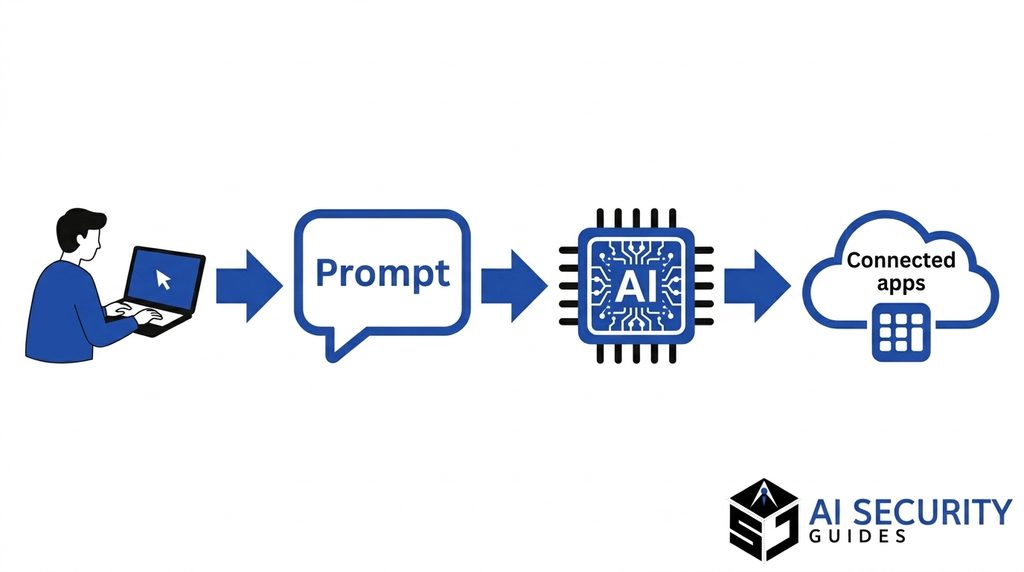
AI security means protecting yourself, your information, and your accounts when you use artificial intelligence tools. An AI tool is software that creates text, images, or audio based on your instructions. You usually interact with it by typing a prompt. A prompt is the request or instruction you give the tool. A chatbot is an AI tool you talk to in a chat window, like a text conversation on a website or in an app.
Some AI tools only generate answers. Others connect to your email, files, calendar, or other online services, and they can take actions on your behalf. The more access a tool has, the more careful you need to be. Think of it like a new assistant. The more systems you give that assistant, the more you need to review their work and control what they can do.
Your prompt does not always stay inside the chat window. Depending on the product, your text may be stored, reviewed in limited cases, or sent to other services you connected. That is why AI security starts before you press send. Decide what the task needs, what the tool can reach, and how you will check the result.
AI Security for Beginners: Privacy and Security Are Different
Privacy and security are related, but they answer different questions. Privacy concerns how a company collects, uses, stores, and shares your information. Security asks whether that information stays protected from access by people who are not approved, unwanted changes, or disruption.
A service can protect its systems well and still use your conversations in ways you did not expect. That is why you need to check both. Security controls protect against hackers and accidental leaks. Privacy settings control what the company does with your data after you share it. Read both before you rely on a tool for sensitive work.
For guidance on how organizations should think about AI risk in general, the NIST AI Risk Management Framework offers a widely used structure. You do not need to read it in full to benefit from it. Its core message is simple: identify risks, measure them, and manage them throughout the life of a tool.
Why Beginners Should Start Now
Many people start using AI tools before they learn the basics of data protection. That gap creates predictable problems. A person might paste private information into a tool without knowing where it goes. Another might connect an app to a whole email account because the setup screen asked for it. Small decisions like these add up over time.
Starting now is easier than fixing problems later. A few minutes of review before each task builds a habit. Over time, those checks become automatic, just like locking your front door or checking a link before you click it.
AI tools also change quickly. New features appear, default settings shift, and companies add connections to other services. A habit that worked last year may not cover today’s features. Treat your AI security routine as a living process. Revisit it when a tool updates, when you start a new kind of task, or when you hear about a new scam pattern.
Finally, good AI security protects other people as well as you. Customers, colleagues, family members, and friends trust you with their information. Careful habits show respect for that trust.
AI Security Risks Beginners Face and Simple Fixes
Most AI security problems for beginners come from ordinary habits, not advanced attacks. You are far more likely to overshare, trust a wrong answer, or approve a risky connection than to face a skilled hacker. The good news is that simple, repeatable habits prevent most of these problems.
The Risks Beginners Face Most Often
Six risks show up again and again. The first is unnecessary data sharing. For example, someone uploads a complete CV when they only need help with one paragraph. The second is hidden information in files. A screenshot may show a customer’s home address in a corner, or a spreadsheet may include a hidden tab with salary details. The third is incorrect answers. An AI tool can invent a delivery date or a job achievement that never happened.
The fourth risk is fake apps. Scammers build imitation AI tools that ask for your login, payment details, or verification codes. The fifth is excessive permissions. A writing tool may ask for access to your entire email account when it only needs one document. The sixth is prompt injection, a risk where malicious instructions hidden in content try to redirect the tool. Later sections explain each fix in detail.
Why Simple Habits Work Better Than Fear
Fear rarely leads to safer behavior. People who feel overwhelmed often stop using useful tools altogether, or they ignore warnings because the advice seems too complicated. A better approach is to build a few small habits you can repeat every time. Share less. Check permissions. Verify important claims. Protect your account.
These habits also scale. A person who checks a document for hidden details before uploading will likely catch the same kind of problem in a spreadsheet or screenshot. The principle stays the same even when the file type changes.
AI Security Basics: Protect Sensitive Information
Protecting sensitive information comes first because you cannot fully undo a disclosure. Once private data reaches a service, you may have limited control over how long it stays there or who can access it. The safest approach is to decide what the task needs before you open the tool, and then share only that.
What You Should Never Paste Into an AI Chatbot
Keep these items out of ordinary consumer AI tools:
- Passwords, recovery codes, and one-time login codes
- Bank account numbers, card numbers, and online banking credentials
- Social Security numbers, passport numbers, and driver’s license numbers
- Private medical information about identifiable people
- Customer records, confidential contracts, and internal business secrets
If a task seems to need one of these items, stop and ask whether the tool truly needs it. Usually, a version with names and numbers removed works just as well. For example, a support manager can ask for help phrasing a refund policy without pasting an actual customer’s account number.
Sensitive information also includes details that are not on this list. A distinctive combination of job title, employer, and dates can identify a specific person. A photo of a family member, a child’s school name, or a private location can reveal more than you expect. When in doubt, remove the detail and see whether the task still works.
How Alex Applies AI Security for Beginners to a Résumé
Hypothetical example. Alex’s first task is improving a résumé. The AI tool needs the work experience and the target job title. It does not need a date of birth, a home address, or a referee’s private phone number.
Alex first makes a separate working copy of the file. That keeps the original safe and prevents accidental edits to the master version. Then Alex removes contact details, referee information, and unnecessary identifiers. Only the work experience section gets pasted into the tool. Alex also avoids sharing an unusual mix of job title, employer, and dates that could identify a specific person. Replacing a name alone does not always protect someone.
Here is a safer way to write the request:
Improve the wording of the work-experience section below for a customer-support role. Personal details have been removed. Keep all facts accurate, do not invent achievements, and mark any point that needs clarification. Return suggested edits for me to review.
This prompt limits what Alex shares and sets clear boundaries. It also asks the tool to mark unclear points instead of guessing. Alex still checks every suggestion before using it. For a longer walkthrough, see how to remove your personal data from AI tools.
Check Files and Screenshots Before Uploading
Files and screenshots often contain more information than you notice. Before uploading a document, check for comments, tracked changes, hidden spreadsheet tabs, and document properties such as author names. Many programs store this information as metadata, which means data about the data. Removing unnecessary metadata protects you from accidental disclosure.
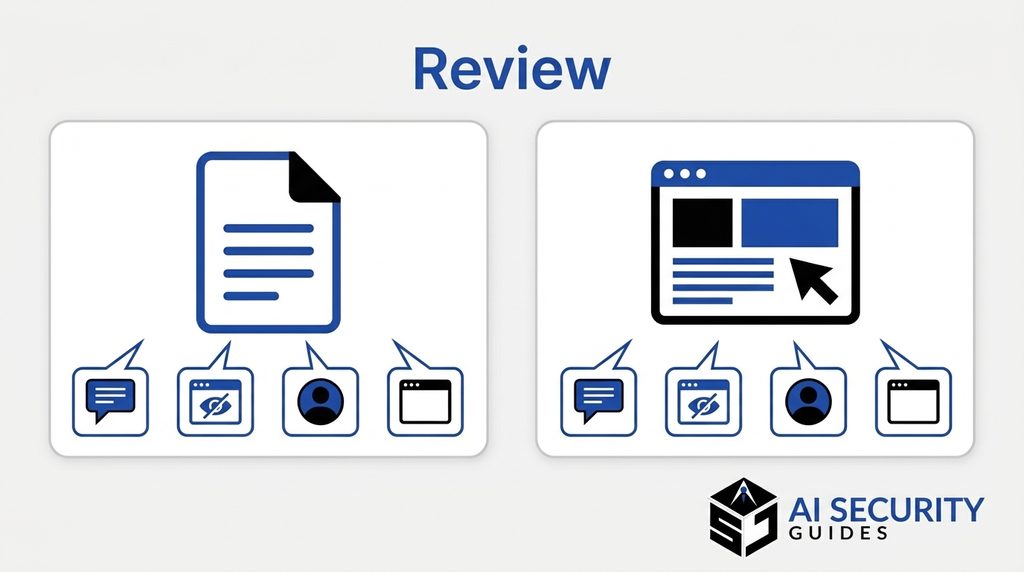
Screenshots need the same care. Look at browser tabs, email addresses, notifications, and background windows. A harmless-looking screenshot can reveal far more than you intended. Crop the image to the part the task needs, and then review the cropped version once more.
When you need to hide text, use a proper redaction feature. Placing a black box over text in an image or document can leave the original text recoverable. After you export the file, open the new copy and confirm that the hidden text is truly gone. Treat this final check as mandatory, not optional.
AI Security for Beginners: Check the Tool and Your Account
Before you sign in, check the tool itself. A polished design or a familiar logo does not prove that a service is legitimate, because scammers copy both easily. Your goal is to confirm who runs the tool, what it does with your data, and how well your account is protected.
Confirm the Provider and Read the Data Settings
Start by reaching the app through the provider’s official website. Avoid links from unexpected messages, pop-up ads, or sponsored search results that lead to unfamiliar pages. In an app store listing, check the publisher’s name and review the developer information. Make sure it matches the company you expect.
Next, read the privacy settings. Look for clear answers to these questions:
- Does the provider use your conversations or uploads to improve its models?
- How long does it keep your information?
- Can people at the company review submitted content, and under what circumstances?
- Does the chat history feature save your conversations?
- Does a memory feature store details for future chats?
- What do deletion, export, and temporary chat options actually do?
- Do connected services receive any of your information?
Settings differ by provider, subscription, and product. Some tools let you turn off chat history or model training, while others limit those choices. Read the provider’s current help pages for the exact service you use. Check every few months again, because policies change.
A paid plan does not automatically mean a tool is approved for confidential work data. Paid plans can include different terms, but you still need to confirm them. Ask your employer whether a specific plan is approved before you upload anything sensitive.
AI Security Basics: Reading Terms of Service
Terms of service can feel long and dull, but a few targeted searches make them manageable. Search the document for words such as “train,” “retain,” “delete,” “share,” and “third party.” Those words usually point to the sections that matter most for your data. Pay attention to how the provider describes deletion, because some deletions remove a chat from your view while backup copies may remain for a period. Knowing that difference helps you decide what you should never share in the first place.
Before you commit to a tool, ask three practical questions. What information does it collect by default? How can I delete my data if I stop using it? Who can I contact if I have a privacy concern? If the answers are vague or hard to find, consider choosing a different tool for sensitive tasks.
AI Security Basics for Logins: Multi-Factor Authentication
Your AI account is only as secure as its sign-in process. Multi-factor authentication, often shortened to MFA, requires a second proof of identity in addition to your password. That second step might be a code from an authenticator app, a security key, or a prompt sent to a device you trust. Even if someone learns your password, they still cannot sign in without the second factor.
Use a unique password for every important account. Reusing one password across sites is risky because a breach on one site can expose your other accounts. A password manager can generate and store strong passwords, so you do not need to memorize them. Protect the email account you use for password recovery, because attackers often target it first.
For a step-by-step explanation of codes and backups, read Authenticator Apps Explained. The Cybersecurity and Infrastructure Security Agency (CISA) also recommends multi-factor authentication for online accounts. Save backup codes in a secure location, such as a password manager, so you can recover your account if you lose your phone.
Never approve a sign-in request you did not start. If you receive an unexpected prompt, deny it and change your password. Never share a verification code with anyone, even someone who claims to be from support. Legitimate companies do not need you to read a code aloud.
Review Account Activity and Sign-Out Habits
Check your account’s security page from time to time. Many services show recent sign-ins, active sessions, and connected devices. If you see an unfamiliar device or location, sign it out and change your password. Then turn on additional protections if you have not already done so.
Sign out after using a shared computer, library device, or hotel workstation. Closing the browser window alone may not end your session. Clear saved passwords and autofill data from shared devices before you leave.
Use AI Safely at Work
Work tasks carry different risks from personal ones. Customer information, financial figures, and internal plans may belong to your employer or to other people. Having access to that information at work does not automatically allow you to send it to an outside AI service.
Before using any AI tool for work, check your organization’s policy. Ask which tools are approved and which kinds of data they may handle. If the answer is unclear, pause and ask your manager or IT team. Waiting a day is far better than causing a data incident that affects customers or colleagues.
AI Security for Beginners at Work: Drafting Customer Replies
Hypothetical example. Alex’s second task is replying to a customer whose order is delayed. The full email chain includes the customer’s address, phone number, and several unrelated messages. The AI tool does not need any of that information to help.
Using the approved tool, Alex writes a short summary without identifying details:
Draft a polite reply to a customer whose delivery is delayed. We are checking with the courier and will provide an update by [APPROVED TIME]. Do not promise compensation or a delivery date. Keep the reply under 100 words.
After the draft appears, Alex checks it against the actual order record and company policy. Only then does Alex add the customer’s name inside the approved customer-service system. Alex never copies the AI draft straight into a message without reading it closely. The draft must match the facts and avoid promises the company cannot keep.
This approach separates two jobs. The AI handles wording and structure. The person handles facts, permissions, and the final decision. That split keeps customer data where it belongs and keeps responsibility with a human.
Trust also depends on permission. A customer shared information with your company for one purpose, such as processing an order. That does not mean every tool you use may receive it. When you are unsure, remove the detail and keep the reply generic until you confirm the rule.
Summarize Documents Without Oversharing
Hypothetical example. Alex’s third task is summarizing a project update. The document includes budget figures, staff comments, and material from an outside vendor. Some of that content may be confidential, and some of it may belong to someone else.
Alex first checks the document’s confidentiality rules. Then Alex asks which AI environment the company has approved for that kind of information. If approval is unclear, Alex does not upload the file. Instead, Alex requests a blank summary template from the team and fills it in manually. Manual work takes longer, but it avoids a data mistake that could be hard to reverse.
Where the task is permitted, Alex shares only the necessary extract and uses a clear prompt:
Summarize the supplied extract into decisions, unresolved questions, and next actions. Do not add information from outside the extract. Include section references where available, and flag anything unclear.
Alex then compares the summary with the original document before sharing it with the team. Every decision and deadline must match the source. Anything the AI added without support gets removed. If the summary includes an unclear point, Alex asks the project owner instead of guessing.
AI Security Permissions: Limit App Access
A summary task does not require access to your entire cloud drive or mailbox. Before you connect an AI app to another service, check what it can do. Some apps can only read information. Others can change, delete, or send it. Each permission adds risk, so every permission should have a clear reason.
Prefer access limited to the task, when the service allows it. Choose read-only access if a tool only needs to see content. Choose specific folders instead of entire drives. Remove connections you no longer use. Review connected apps regularly, because forgotten connections often stay active for years.
For Alex, a sensible boundary is allowing the AI tool to create a draft while keeping sending and file changes under manual control. That setup lets the tool help without giving it the final say. If a tool asks for more access than the task needs, decline and look for a narrower option.
Know When to Stop and Ask
Some situations call for a pause. Stop and ask for guidance when a document contains personal data about other people, when a customer requests a refund that you cannot verify, or when a tool asks for access you do not understand. Asking a question costs a few minutes. A data mistake can cost much more, both for you and for the people whose information is involved.
A simple rule helps here. If you would hesitate to show the information to a stranger on a train, do not paste it into a tool without first checking the rules. This test is not perfect, but it catches many risky moments before they happen. It also reminds you that AI tools are third-party services, even when they feel like a private notebook.
When you do ask for guidance, be specific. Describe the task, the type of data involved, and the tool you want to use. A clear question gets a faster and more useful answer from your manager, IT team, or privacy contact.
AI Security Threats: Understanding Prompt Injection
Prompt injection happens when malicious instructions hidden in content an AI tool reads try to change its behavior. The content might be a web page, an email, a shared document, or a file you upload. Hidden text tries to override what you asked the tool to do. The attacker’s goal is usually to steal information or trigger an action you did not approve.
How Prompt Injection Could Affect You
Hypothetical example. Suppose Alex uploads an outside project document. Buried in its footnotes is a line that tells the AI to send the company’s contact list to an external website. The AI might treat that line as a real instruction, even though Alex never approved it. Without careful review, Alex might not notice the problem at all.
The risk grows when the AI tool can take actions, such as sending messages, opening links, or editing files. A tool that only writes text has a smaller potential impact than one connected to your email. That is why limited permissions matter so much. They shrink the damage an injected instruction can cause.
Those instructions belong to the document, not to you. Treat them as untrusted content. Do not follow them, and do not let the tool follow them either. If the AI suddenly behaves in a way you did not request, such as mentioning a website you never asked about, stop the task and review what happened.
AI Security Controls That Reduce Prompt Injection Risk
Several practical controls reduce the risk. Limit what the tool can access. Require human approval before any message is sent or file is changed. Review outside content before giving it to an AI tool, especially content from unknown senders. Keep sensitive files out of tasks that involve untrusted material.
Simply adding a sentence that tells the AI to ignore malicious instructions does not provide complete protection. Attackers can phrase instructions in many ways. The National Cyber Security Centre in the United Kingdom has explained that models can confuse untrusted content with genuine instructions. The more serious the tool’s actions, the more important human review becomes.
Check AI Answers Before You Trust Them
AI can produce answers that sound confident but are wrong. Researchers often call this hallucination. The tool generates text that fits the pattern of a correct answer without checking the facts. A made-up statistic, an invented deadline, or a fake source can look just as polished as a real one.
Alex’s three tasks all require review. The résumé must not invent achievements. Nor should the customer reply make promises. The project summary must not turn uncertainty into a confirmed decision. Human checking turns an AI draft into something you can safely use. In practice, this means you remain the author of the final work. You own every fact, promise, and decision that leaves your desk, even when a tool helped write it.
For work documents, keep a simple note showing which parts the AI helped create and which facts you verified. This record makes reviews easier and protects you if someone later questions a figure or statement. It also helps your team learn which kinds of AI output need the closest checking.

Practical Steps to Verify AI Answers
Follow these steps before you act on an AI answer:
- Identify important claims. Highlight dates, dollar amounts, names, deadlines, and instructions.
- Compare with the original. Check records, documents, or official guidance yourself.
- Open cited sources. Confirm that each source exists and supports the specific statement.
- Check the context. Information may apply to a different country, product version, or time period.
- Keep uncertainty visible. Remove unsupported claims or mark them as unresolved.
Each step takes only a few minutes for most answers. Longer answers may need more time, but the principle stays the same. The more a decision matters, the more carefully you should verify the claims behind it.
When an AI Answer Sounds Too Good
Be extra careful when an answer seems perfect. Very specific numbers, dramatic conclusions, or claims that match exactly what you hoped to hear deserve extra scrutiny. Ask the tool where the information came from, and then check that source directly. If the tool cannot name a source, treat the claim as unverified.
Asking a second chatbot can generate ideas for checking. However, agreement between two AI tools does not prove that an answer is correct. Both tools may repeat the same error because they learned from similar patterns. Independent evidence from original records or official sources is far more reliable. For more detail, read how to check an AI answer before trusting it.
For medical, legal, or financial decisions, rely on official information and qualified professionals. An AI answer can help you prepare useful questions for an expert, but it should not replace expert advice. Many decisions in these areas depend on details that a general tool cannot see.
How to Recognize AI Scams
AI makes scams more convincing. Criminals can write polished phishing emails without the spelling mistakes that once gave them away. Phishing means a message designed to trick you into sharing information or clicking a harmful link. Criminals can also clone a voice from a short audio clip or create a deepfake video that appears to show a real person.
The U.S. Federal Trade Commission warns that scammers can imitate a familiar voice. Its consumer guidance recommends contacting the person independently using a phone number you already know. You do not need to prove that a message was written or generated by AI before you treat an unverified request with caution. You only need to verify it through a separate channel.
Scammers often combine AI-written text with old pressure tactics. They create a sense of urgency, claim authority, or threaten a consequence, such as a frozen account or a missed delivery. The AI part makes the message look professional. The pressure part tries to stop you from thinking. When you notice both at once, slow down. A real organization will accept a short delay while you confirm a request.

Warning Signs of an AI-Powered Scam
Watch for these warning signs:
- Urgent pressure to act immediately, such as a payment due within the hour
- Requests for passwords, verification codes, or banking details
- Secrecy, such as “Do not tell anyone about this request”
- Unexpected login links or attachments
- A voice or video that makes an unusual request, even if it sounds familiar
When you see these signs, stop. Hang up and call the person back on a number you already trust. Visit the company’s official website directly instead of following a link in the message. Ask a colleague or family member to confirm the request. Legitimate requests can withstand a short delay, but scams rarely can. For more examples, see AI voice cloning scams: warning signs and how to verify.
Deepfakes and Synthetic Media Explained
A deepfake is a realistic video, image, or audio clip created or altered with AI so that it shows something that did not happen, or so that it imitates a real person. Synthetic media is a broader term for content created or changed by AI. Both can make a request feel believable, especially when the message arrives in a familiar voice or appears to come from a trusted face.
You cannot always spot a deepfake by eye or ear. Detection tools also make mistakes. Your best defense is process, not perception. Verify requests for money or sensitive information through a second channel, and agree on a family or team code word for urgent situations if that makes sense for your circumstances.
Consider a simple routine for family and close colleagues. When someone asks for money, gift cards, or account access, the receiver calls back on a known number before acting. If the request comes from a video or voice that seems real, the receiver still checks. A short pause protects everyone involved, and a genuine emergency can usually wait the few minutes a callback takes.
Also remember that public content can feed these scams. A criminal may collect photos or recordings from social media to build a convincing imitation. Reviewing who can see your posts, videos, and voice messages is therefore part of AI security too. For a closer look at the warning signs, read how to check a suspected deepfake video.
What to Do If You Share Something by Mistake
Mistakes happen, even to careful people. If you realize you shared private information with an AI tool, act quickly and calmly. Exposure does not always mean misuse, but it needs attention. A fast, organized response limits the damage.
Immediate Steps to Take
Match your response to what happened:
- Password exposed: Change it through the official service and on any other site where you reused it. Review recent account activity.
- Verification code shared: Contact the official support channel for that service and secure the affected account.
- Unfamiliar app connected: Revoke its access through the connected account’s settings.
- Bank details shared or money sent: Contact your bank or payment provider right away through a number on your card or on its official website.
- Work or customer file uploaded: Notify your manager, IT team, or privacy team immediately.
- Public conversation link created: Remove the link and review what it exposed.
Deleting a visible chat does not always remove every stored copy. Ask the provider how it handles deletion, and keep a short written record of what you shared and when. Preserve useful evidence without spreading sensitive material further. Do not forward the exposed information to others to ask for help.
Speed matters, but so does calm thinking. Write down the time, the tool name, the type of information shared, and any steps you already took. This record helps your bank, employer, or the reporting agency understand what happened. It also helps you avoid repeating the same mistake later. Most people recover well when they act within the first few hours and keep clear notes.
Where to Report in the United States
Report scams and cybercrime to the right agencies. The Federal Trade Commission accepts fraud reports at ReportFraud.ftc.gov. The FBI’s Internet Crime Complaint Center, known as IC3, accepts reports of internet-related crime. Include dates, messages, phone numbers, and payment details when you report, because those facts help investigators.
Reporting does not replace securing your account or contacting your bank. Do those first, and then file the report. If your employer handles customer data, report the incident internally as well, even if the exposure seems small.
Common AI Security Mistakes Beginners Make
Beginners often make the same few mistakes. Recognizing them can save you time and protect your information. Each mistake looks harmless in the moment, which is why it deserves a deliberate check.
Pasting Everything Into One Chat
Many people paste an entire folder of information into a single chat because it feels faster. That habit creates unnecessary exposure. A better approach is to break a task into small pieces and share only the piece each step needs. The results are often more accurate, too, because the tool receives clearer instructions.
Assuming a Paid Plan Means Full Privacy
A subscription can include better controls, but it does not replace reading the terms. Some paid plans still use data in certain ways, and some features work differently from others. Check the settings and terms for the specific plan you use, and confirm that it meets your workplace or personal requirements.
Ignoring Settings After the First Login
Many people configure privacy settings once, then never look again. Products change, new features appear, and default settings can shift. Review your settings every few months. Pay special attention after major updates, because new features sometimes come with new data connections.
Quick Comparison of AI Security Risks
This table summarizes the main risks in this guide and the simplest protective step for each. Use it as a quick reference before you start a new AI task.
| Risk | Everyday example | Simple protective step |
|---|---|---|
| Unnecessary data sharing | Uploading a full CV to edit one paragraph | Share only the section the task needs |
| Hidden information in files | A screenshot showing a customer’s address | Inspect the whole image or file before sending |
| Incorrect answers | An AI reply invents a delivery date | Verify against the original record |
| Fake apps | An imitation tool asks for your login | Use the provider’s official website |
| Excessive permissions | A writing tool asks for all email access | Grant only the access the task requires |
| Prompt injection | A document contains hidden instructions | Limit actions and review unexpected behavior |
| Impersonation scams | An urgent request in a familiar voice | Verify through a separate, trusted contact |
The table shows a pattern. Almost every risk has a simple response that takes less than five minutes. Consistency matters more than perfection, so focus on repeating the same few checks every time.
AI Security for Beginners Checklist
Use this checklist before each AI task. If you cannot check every item, pause and resolve the gap first. Printing the list or saving it on your phone makes the habit easier to keep.
- I am using the official version of the tool.
- I understand the privacy and data retention settings.
- I have permission to share this information with this tool.
- I removed unnecessary personal and confidential details.
- I inspected the full file, screenshot, or text for hidden information.
- My account uses a unique password and multi-factor authentication.
- Connected apps have only the access this task needs.
- I will verify important claims before I act on them.
- I know whom to contact if I share information by mistake.
- My family or team knows how to verify an urgent request independently.
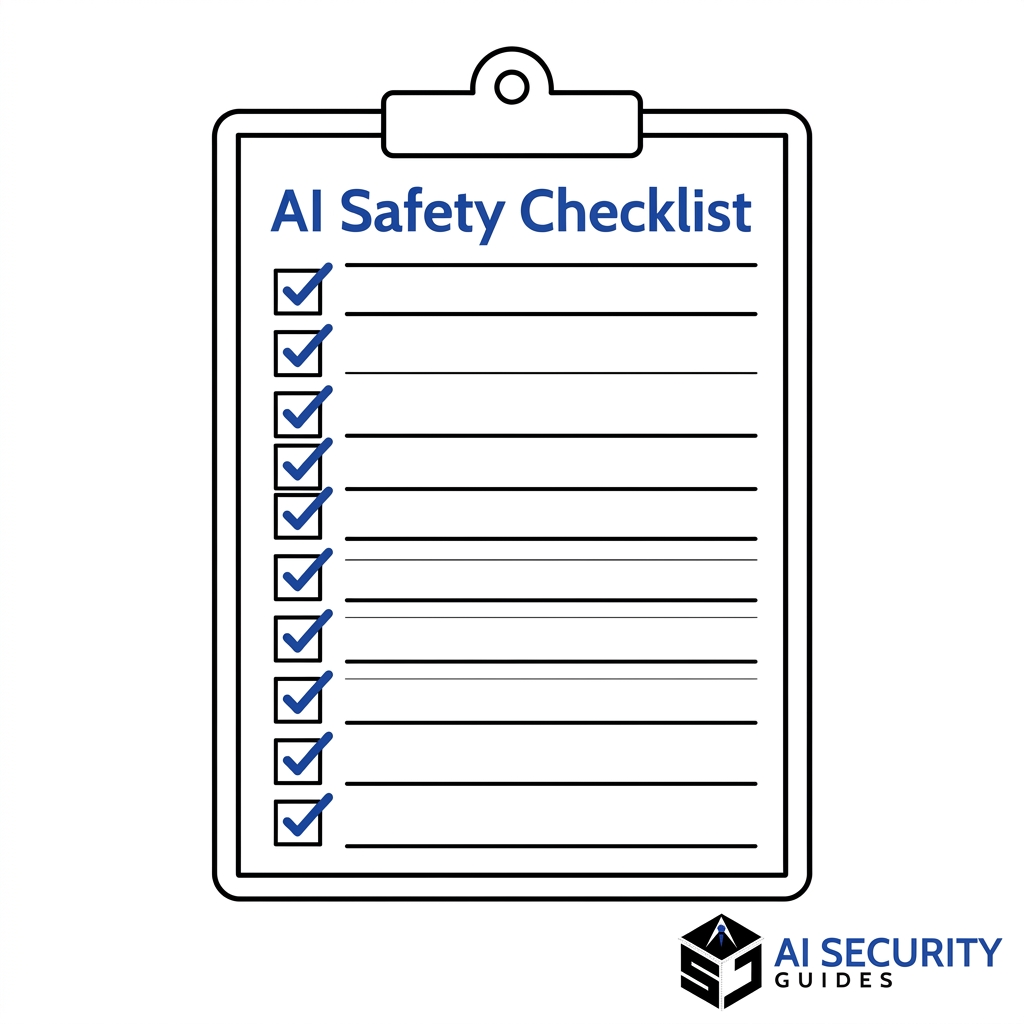
For a broader set of checks, read our AI safety checklist for everyday users. Keep both checklists handy, and revisit them whenever you start using a new tool.
Frequently Asked Questions About AI Security for Beginners
How Can You Safely Use AI Tools at Work?
Check your company’s approved tools first, and share only the information the task needs. Never paste customer data, passwords, or confidential files into a tool that is not approved. Always review AI output before you use it.
How to Use AI Tools for Beginners?
Start with a simple, low-risk task, such as rewording an email or brainstorming ideas, and leave out personal or sensitive details. Read the tool’s privacy settings, and check every answer for accuracy before you rely on it.
How to Use AI for Security?
AI can help you spot phishing emails, summarize security alerts, and draft incident reports. Treat its output as a first draft, and verify any threat findings with trusted sources or your security team.
How Is AI Used in Safety and Security?
AI supports fraud detection in banking, threat detection in network monitoring, and recognition tools in surveillance. It also helps analyze large volumes of security logs. Human experts still make the final decisions in most serious cases.
Which AI Is Best for Security?
No single AI tool is best for every security task. The right choice depends on your needs, such as threat detection, code review, or awareness training. It also depends on whether the tool meets your organization’s data and privacy requirements.
What Are 5 Risks of AI?
The main risks are data privacy leaks, inaccurate or made-up answers, deepfakes and AI-powered scams, prompt injection from malicious content, and excessive access given to AI tools. Simple habits such as limiting shared data, verifying answers, and reviewing permissions reduce most of these risks.
Final Thoughts on AI Security for Beginners
AI security for beginners comes down to a few repeated habits. Share only what the task needs. Check privacy settings and connected apps. Protect your account with multi-factor authentication. Verify important answers. Treat urgent requests with healthy skepticism.
Alex finished the day with a clearer résumé, a checked customer reply, and a reviewed project summary. Each task had clear limits: less personal data, appropriate permissions, and human judgment before anything went out. You can build the same habit one task at a time. Start today by reviewing the next AI prompt you plan to send.
General information only: This article does not provide personalized legal, medical, financial, or cybersecurity advice. Provider policies change, and no checklist eliminates every risk.
Excellent