


Email Account Hacked: What to Do Step by Step
Finding your email account hacked is frightening, but you can regain control quickly. Your inbox holds the reset links for your bank, shopping, and social media accounts. Therefore, a thief who controls it can reach far more than your messages. This guide shows you exactly what to do, in order.
Speed matters, but calm matters more. If you find your email account hacked, follow the steps below to limit the damage within the hour. If you suspect your password leaked in an older breach, you can also check whether your email appeared in a data breach.
Hypothetical example: Maria, a teacher in Ohio, receives an alert that her password changed. She never changed it. Soon, two friends text her about strange emails. Maria follows the steps in this guide and locks the intruder out before he touches a bank account.
Table of Contents
- Signs Someone Hacked Your Email Account
- What to Do in the First 10 Minutes When Your Email Account Is Hacked
- Email Account Hacked? How to Regain Access
- Lock Down Your Inbox After an Email Account Hacked Incident
- Protect Your Other Accounts When Your Email Account Is Hacked
- Warn Your Contacts and Report the Hack
- Email Account Hacked: Quick Action Table by Situation
- How to Prevent Another Email Account Hacked Incident
- Email Account Hacked Recovery Checklist
- Email Account Hacked: Frequently Asked Questions
- Conclusion: Act Fast When Your Email Account Is Hacked
Signs Someone Hacked Your Email Account
Many people discover an email account hacked only after a friend mentions it, so spotting the problem early gives you a head start. The Federal Trade Commission (FTC) names three common warning signs. First, you get a notice that your email address, phone number, or password changed, but you made no change. Second, you see a message that someone tried to log in. Third, you cannot log in at all.

Other clues show up in daily use. For example, friends may ask about messages you never sent. You might also find unfamiliar emails in your Sent folder, or password reset emails you did not request. In addition, some providers list logins from places or devices you do not recognize.
However, one odd message does not always mean a break-in. Sometimes scammers fake your address on spam emails while your account stays safe. Therefore, check your Sent folder and recent activity before you panic.
Criminals usually enter through a few common doors. Phishing, a fake message that tricks you into typing your password, is the most familiar one. To learn how those tricks work, read our guide on what phishing is and how to spot it. Reused passwords from old breaches and password-stealing malware also play a role.
What to Do in the First 10 Minutes When Your Email Account Is Hacked
Do these four things first, before you change anything else. They stop the problem from growing while you work through the rest of this guide.
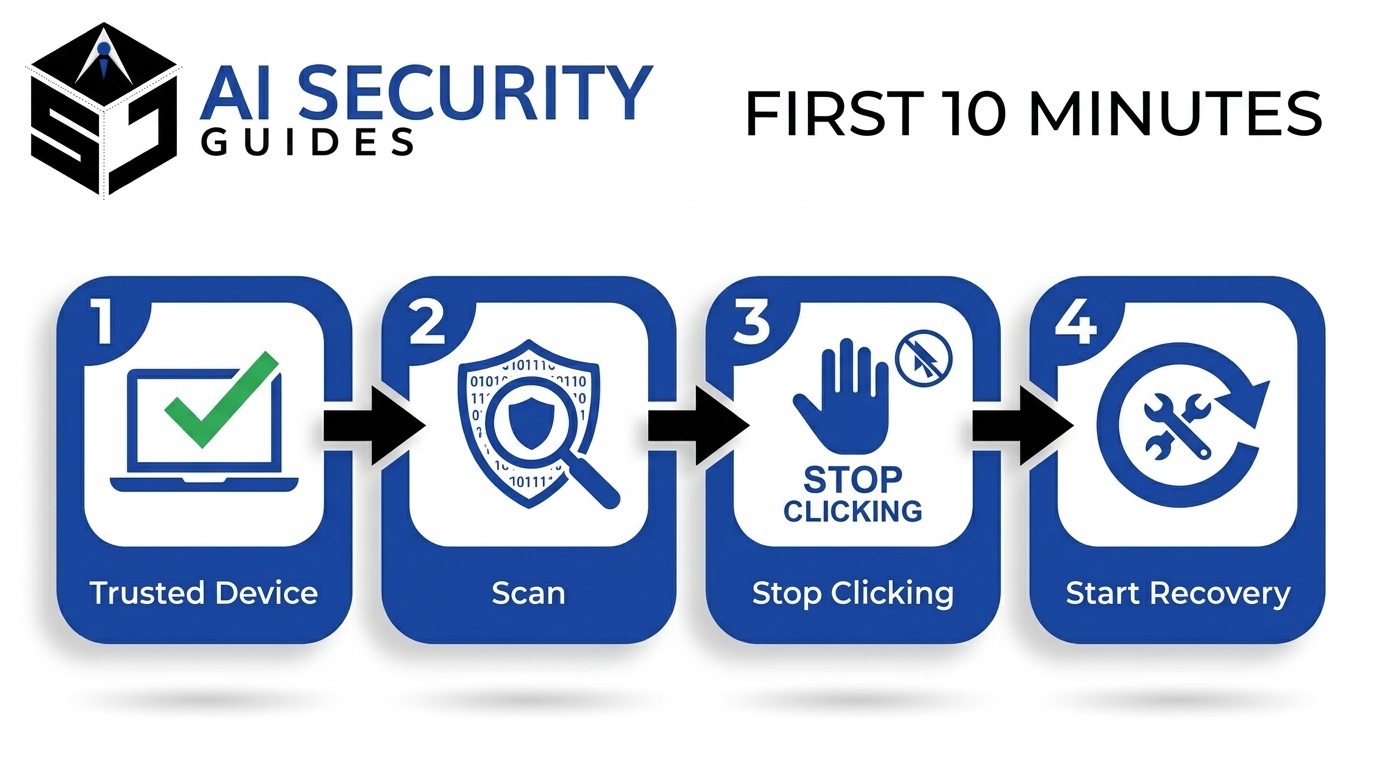
- Switch to a device you trust. If your computer may carry malware, use your phone or a family member’s device. Otherwise, a thief could capture your new password as you type it.
- Scan your device. Run your antivirus program. If the results confuse you, our guide to reading an antivirus scan result explains each alert, and our list of signs of malware helps you spot trouble.
- Stop clicking. Do not open links or attachments in any message from the hacked account, even if they look harmless.
- Start recovery. Move straight to the next section and take back control of the account.
Email Account Hacked? How to Regain Access
When you find your email account hacked, your next move depends on one question. Can you still log in? Follow the matching path below, and use your provider’s official pages instead of links from emails or ads.
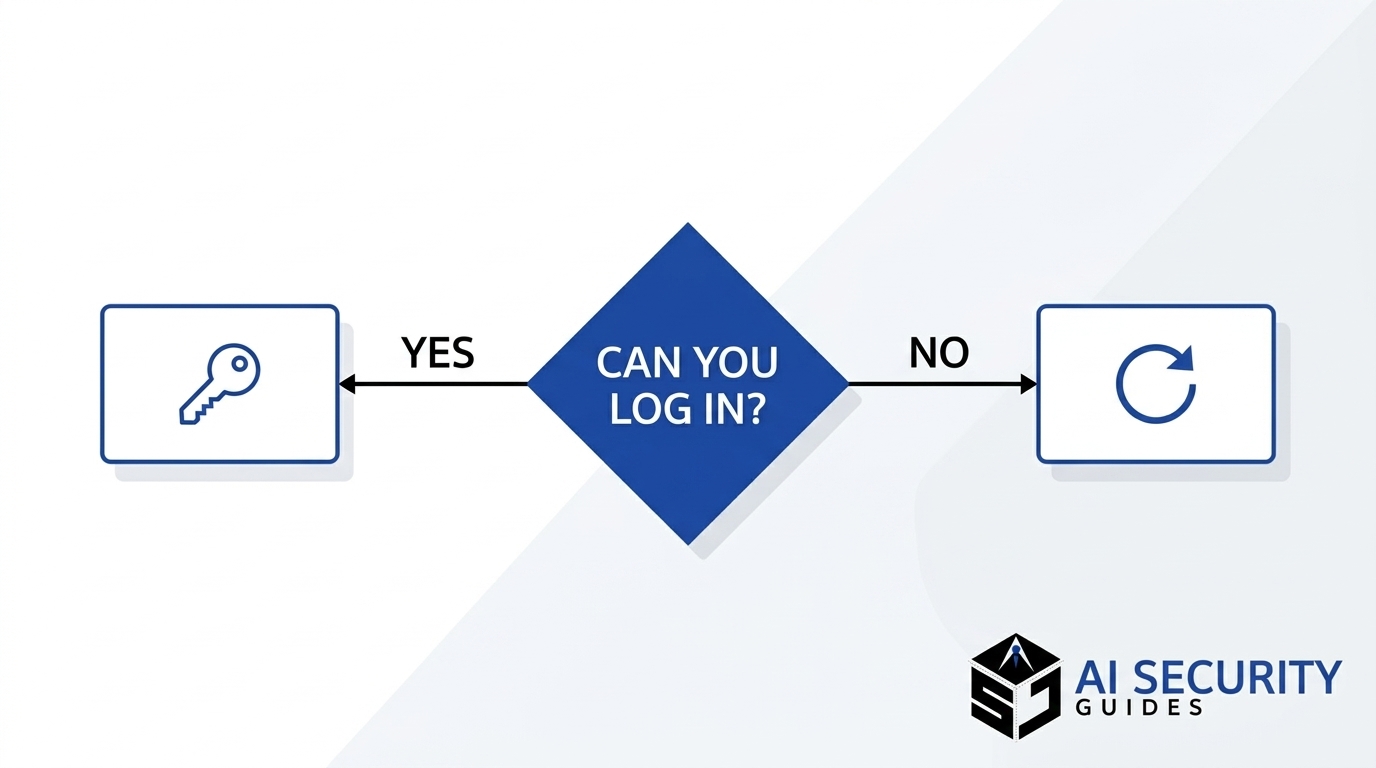
If You Can Still Log In
First, change your password right away. Choose a long, unique password that you have never used anywhere else. A password manager makes that easy, and our beginner’s guide to using a password manager shows you how.
Next, sign out of all other devices and review your recent activity. Google’s help page, for example, sends you to the Security tab and its recent security events list. Other providers offer similar screens, so look for sections named security or recent activity.
Finally, confirm your recovery email address and phone number. The FTC advises you to check that both belong to you, because hackers sometimes swap them to get back in.
If You Cannot Log In
Use your provider’s account recovery page. Google, for example, offers one for changed passwords, changed recovery details, and deleted accounts. Answer the questions as accurately as you can, and try from a device and location you normally use.
Type the provider’s web address yourself instead of clicking a search ad. Scammers sometimes pose as support agents to people who are locked out. If recovery fails, contact the provider through its official help center. Meanwhile, consider creating a new email address for urgent accounts.
Lock Down Your Inbox After an Email Account Hacked Incident
Getting back in is only half the job. After an email account hacked incident, attackers often leave hidden settings behind so they can return or keep reading your mail. Therefore, audit your account before you relax.

Check Forwarding Rules, Filters, and Connected Apps
Open your email settings and look for forwarding addresses you did not add. The FTC specifically recommends checking for auto-forwarding rules that you did not set up. Next, review your filters, since a criminal may send security alerts straight to the trash. Then remove any connected apps or devices that you do not recognize.
If your provider has a setting that lets older, less secure apps sign in, turn it off. Google recommends that step because it can weaken account security.
Turn On Two-Factor Authentication
Two-factor authentication (2FA), also called multifactor authentication, asks for a second proof of identity after your password. That proof might be a code from an app or a physical security key. The Cybersecurity and Infrastructure Security Agency (CISA) says any form of MFA beats none, although phishing-resistant options built on FIDO standards, such as security keys and passkeys, give the strongest protection.
For most beginners, an authenticator app is a solid start. Therefore, set one up today, and save your backup codes in a safe place.
Protect Your Other Accounts When Your Email Account Is Hacked
Your email works like a master key, which is why an email account hacked is never just an email problem. Anyone who controls it can click “forgot password” on other sites and receive the reset link. As a result, treat every account tied to that address as exposed until you check it.
Work in order of risk. Start with banking, credit cards, and payment apps. Next, move to shopping sites, cloud storage, and social media. Finally, update any work accounts that use the same address. Give each account a unique password, because reusing one lets a single leak open many doors.
Watch your financial statements closely over the next few weeks. If you see charges you did not make, call your bank or card issuer using the number printed on your card. Moreover, if you believe someone stole your personal information, the FTC’s IdentityTheft.gov site lets you report it and get a personalized recovery plan. For longer-term habits, see our guide to protecting your personal information online.
Warn Your Contacts and Report the Hack
Telling people about an email account hacked incident protects them too. Tell your friends, family, and coworkers what happened. Use a text, a phone call, or a social media post instead of the compromised inbox. Ask them to ignore odd messages from you and to avoid clicking links or opening attachments. The FTC recommends this step because hackers can use your account to spread malware or scams.
Next, report the hack to your email provider so it can review the account. In addition, remember that scammers can use what they read in your inbox to write convincing messages. Our overview of AI scams and how to avoid online fraud explains how modern fraud works and how to verify suspicious requests.
Email Account Hacked: Quick Action Table by Situation
Every email account hacked case looks a little different, and each calls for a different first move. Use this table to find yours fast.

| Situation | First move | Next step |
|---|---|---|
| You can log in but see unknown activity | Change your password and sign out other devices | Check forwarding rules and turn on 2FA |
| You cannot log in | Use your provider’s official recovery page | Reset your password, then audit your settings |
| Contacts get odd emails from you | Check your Sent folder and recent activity | Tell contacts anyway, since your address may be spoofed |
| You find a forwarding rule you did not create | Delete the rule and any odd filters | Change your password and review connected apps |
| You see unfamiliar charges | Call your bank using the number on your card | Report the theft at IdentityTheft.gov |
If more than one row fits, start with the top-most problem you can fix right now. Then work down the list.
How to Prevent Another Email Account Hacked Incident
Prevention takes less time than recovery. Most email account hacked cases start with a weak or reused password, so a few habits protect you from the common attacks.
First, use a unique password for every account, and let a password manager remember them. Second, keep 2FA on for your email, since that account guards all the others. Third, slow down before you click. When a message asks you to log in, open the website yourself instead of using the link.
In addition, install software updates promptly, because updates fix flaws that criminals exploit. Review your account security settings every few months, and keep your recovery email and phone number current. Finally, remember that fast action helps, so respond to security alerts the same day.
Email Account Hacked Recovery Checklist
Use this email account hacked checklist to confirm you finished every step.
- I switched to a device I trust and ran a security scan.
- I changed my email password to a long, unique one.
- I signed out of all other devices and reviewed recent activity.
- I confirmed my recovery email address and phone number.
- I deleted unknown forwarding rules, filters, and connected apps.
- I turned on 2FA, preferably with an authenticator app or security key.
- I changed passwords on banking, payment, shopping, and social accounts.
- I checked my bank and card statements for unfamiliar charges.
- I warned my contacts and reported the hack to my provider.
- I reported identity theft at IdentityTheft.gov if personal data was stolen.
Email Account Hacked: Frequently Asked Questions
Can someone hack my email without my password?
Yes, in some cases. Malware can steal saved login sessions, and a scammer can trick you into approving a login prompt. Therefore, keep your device clean and deny any sign-in request you did not start.
How do I know if my email account was hacked?
To tell whether someone broke in, look for password change notices you did not trigger, login alerts from unknown places, and trouble signing in. Friends reporting strange messages and forwarding rules you did not create also point to a problem. If you see any of these, start with the first 10 minutes section above.
How long does recovering a hacked email account take?
It depends on your situation. If you can still log in, you can often secure the account within an hour. A lockout takes longer, because providers need extra proof that you own the account.
Should I delete my email account after a hack?
Usually not. Deleting the account may lock you out of other services that use the address. Instead, secure the account, and create a new address only if you cannot regain access.
Is a break-in the same as identity theft?
A hacked email account does not automatically mean identity theft, but your risk rises. Your inbox may hold account numbers, tax forms, and personal details. If someone stole that information, report it at IdentityTheft.gov for a personalized recovery plan.
Do I need antivirus software after a hack?
Run a scan on every device you used to log in. If it finds malware, remove it before you change passwords. Otherwise, the malware could capture your new password.
Conclusion: Act Fast When Your Email Account Is Hacked
Seeing your email account hacked is stressful, but a clear plan puts you back in control. Secure your device, regain access, and audit your settings. Then protect your other accounts, warn your contacts, and turn on 2FA. Bookmark this guide, and share it with a friend who might need it someday.